Who Is Really Watching Your Phone?
How a simple search to disable internet access on latest Android exposed the sprawling web of trackers living in my apps.
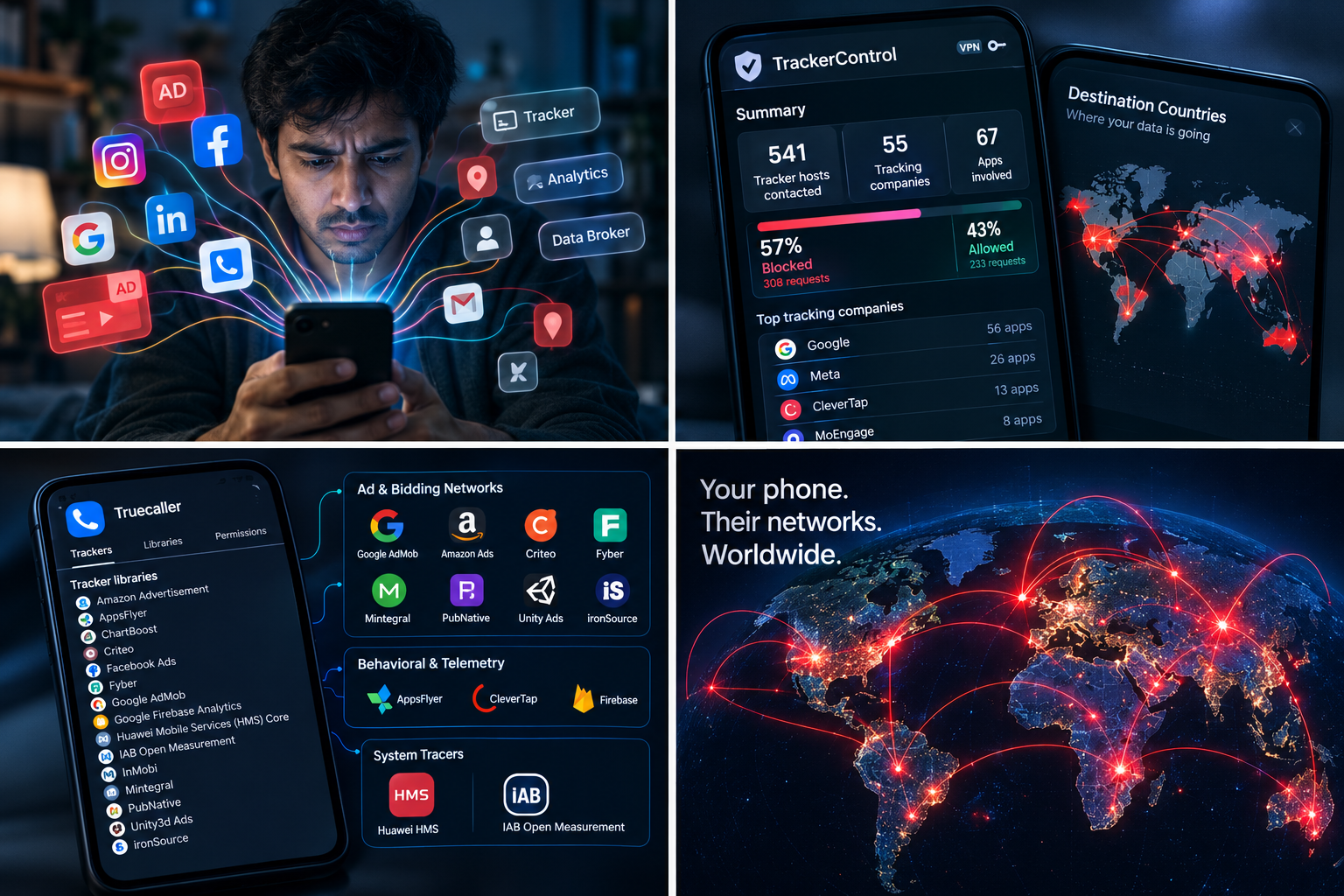
Since the new Android update did not let me manually disable internet on apps I wanted to use, but they were filled with spammy and unnecessary ads, I decided I had enough.
It used to be simple. On earlier builds, if a calculator or photo editor started bombarding you with pop-up video banners, you could head into app settings and revoke its data privileges in two taps. But if you have recently tried to disable internet access on Latest Android or modern stock builds, you have likely noticed that clean toggle is gone. Unless you run a heavily customized OEM skin or a rooted handset, the OS essentially forces you to keep the data spigot wide open. The app gets full internet access—whether it actually needs it or not.
Sick of intrusive full-screen ads eating my mobile data, I skipped the Play Store (where system-level ad blockers rarely survive) and opened F-Droid. That was where I found TrackerControl.
What started as a simple search for a workaround to restrict app traffic ended up revealing an unsettling reality about what runs behind my screen.
The F-Droid Fix That Blew the Lid Off App Tracking
TrackerControl functions as a local, on-device firewall by leveraging Android’s native VpnService. It doesn’t ship your data off to some obscure third-party cloud server; instead, it creates a local loopback directly on your phone. Every network request your apps make has to clear this checkpoint first.
Setting it up took barely two minutes. But checking the summary report after just a week of normal daily use genuinely gave me goosebumps.
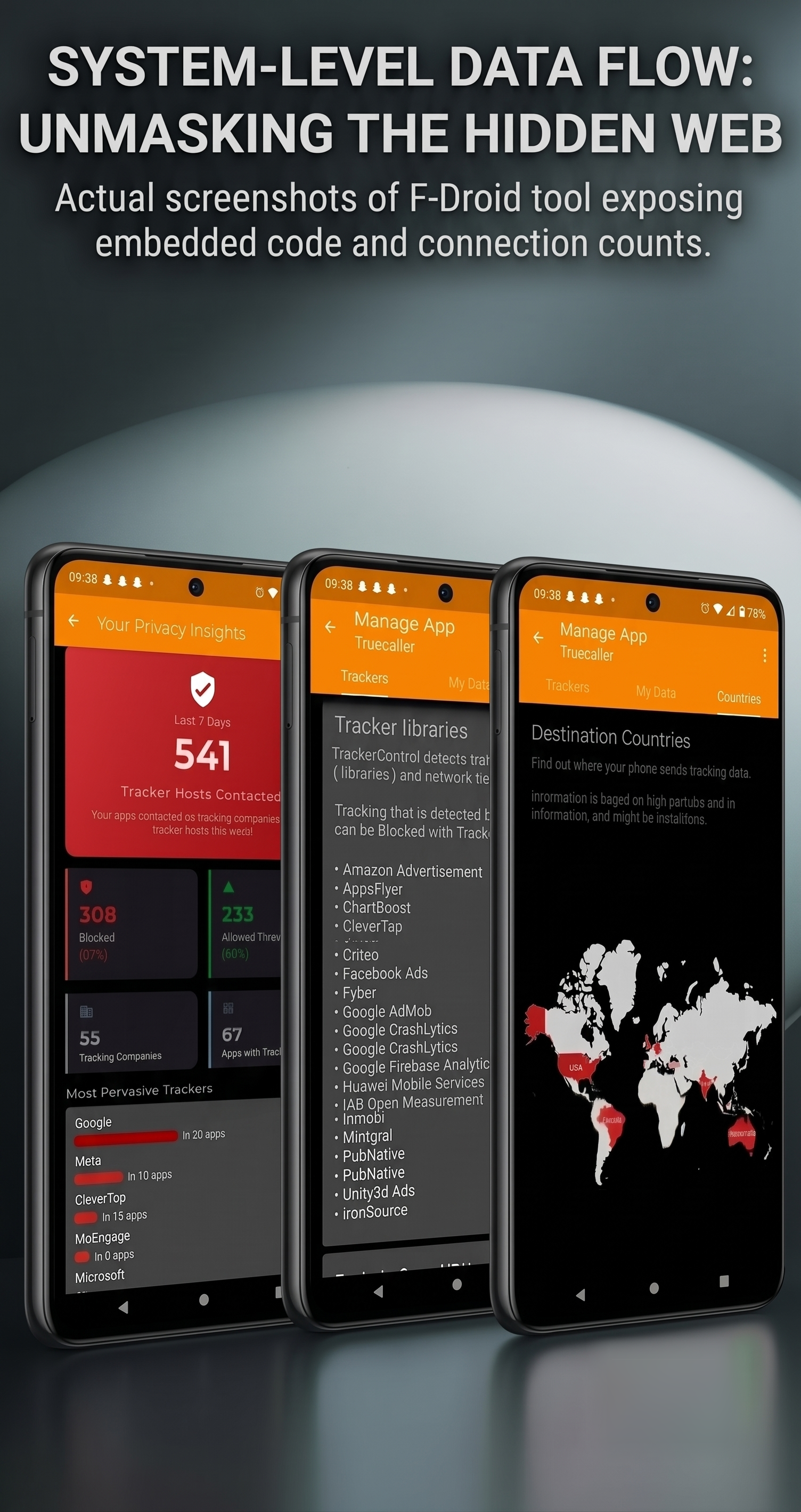
In hardly seven days, TrackerControl logged 541 tracker hosts contacted across 55 distinct tracking companies, touching 67 different apps installed on my phone. Out of those, it automatically stepped in and intercepted 308 requests (57%), letting only 233 pass through as functional content traffic.
Now, be realistic: none of us are shocked that Instagram pings Meta servers, or that opening Outlook or LinkedIn sends telemetry back to Microsoft. That is expected first-party behavior.
What genuinely unnerved me was how many third parties were quietly piggybacking along for the ride.
These weren’t the platform owners. These were external ad exchanges, data brokers, and user-profiling platforms whose names most people have never heard of, all silently siphoning connection data in the background. When you realize that 55 commercial tracking entities had hooks in my phone in a single week, it forces a chilling question: across months and years of smartphone ownership, how many companies actually have our personal data profile?
Inside the Tracker Libraries: The Unseen Payload
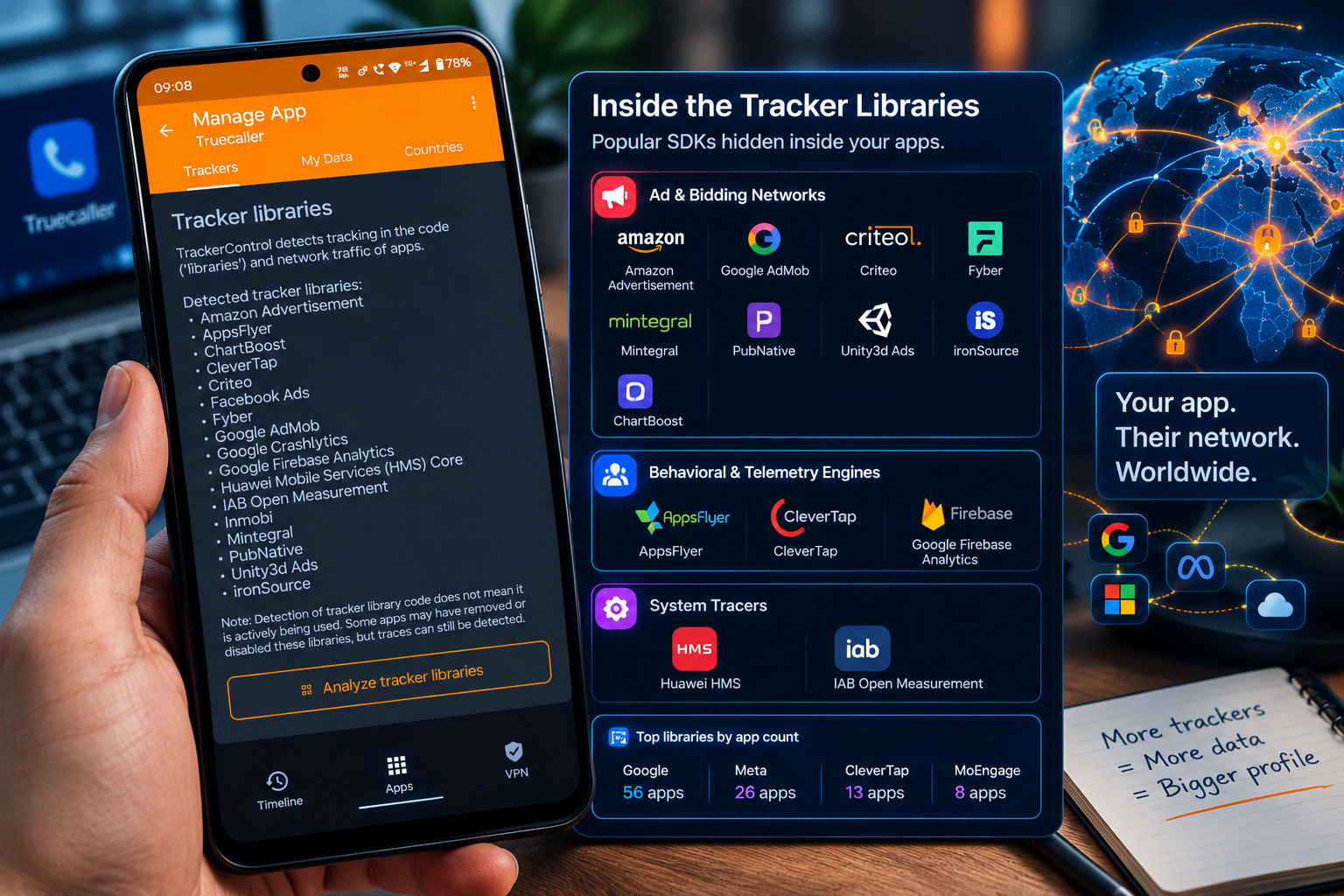
When you open TrackerControl’s per-app breakdown, it exposes the exact third-party software development kits (SDKs) compiled into your applications.
Taking a common utility like Truecaller as an example, the static analysis tab reveals a staggering list of monetization and tracking frameworks baked straight into the binary:
Ad & Bidding Networks: Amazon Advertisement, Google AdMob, Criteo, Fyber, Mintegral, PubNative, Unity3d Ads, ironSource, InMobi, and ChartBoost.
Behavioral & Telemetry Engines: AppsFlyer, CleverTap, and Google Firebase Analytics.
System Tracers: Huawei Mobile Services (HMS) Core and IAB Open Measurement.
The summary view alone showed the scale: Google’s tracking code was embedded in 56 separate apps, Meta’s in 26 apps, CleverTap in 13, and MoEngage in 8.
Each of these embedded libraries isn't just serving an ad banner. They are designed to collect device fingerprints, network identifiers, and interaction habits to stitch together cross-app portraits of who you are and what you do throughout the day.
Watching Data Cross Continents in Real Time
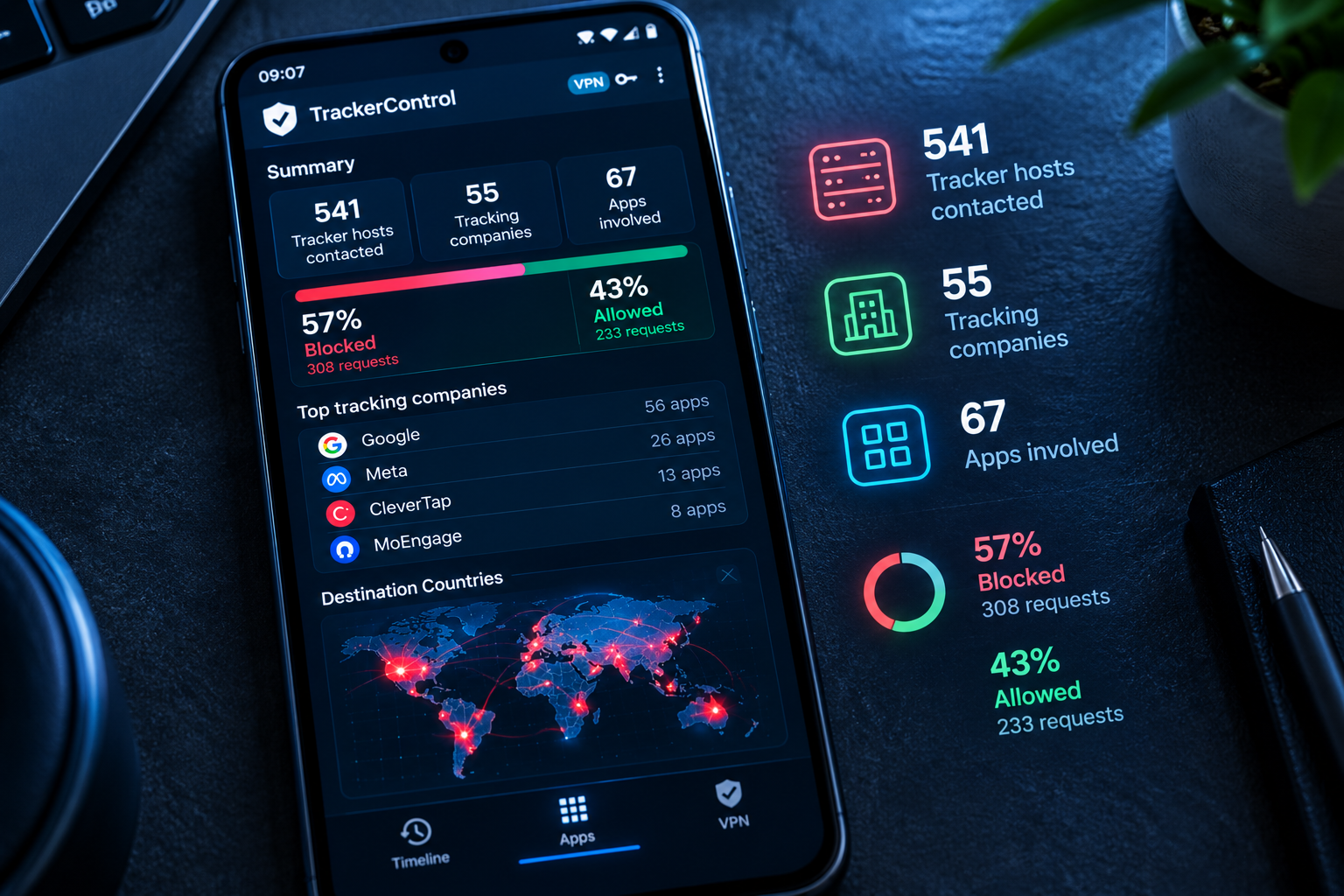
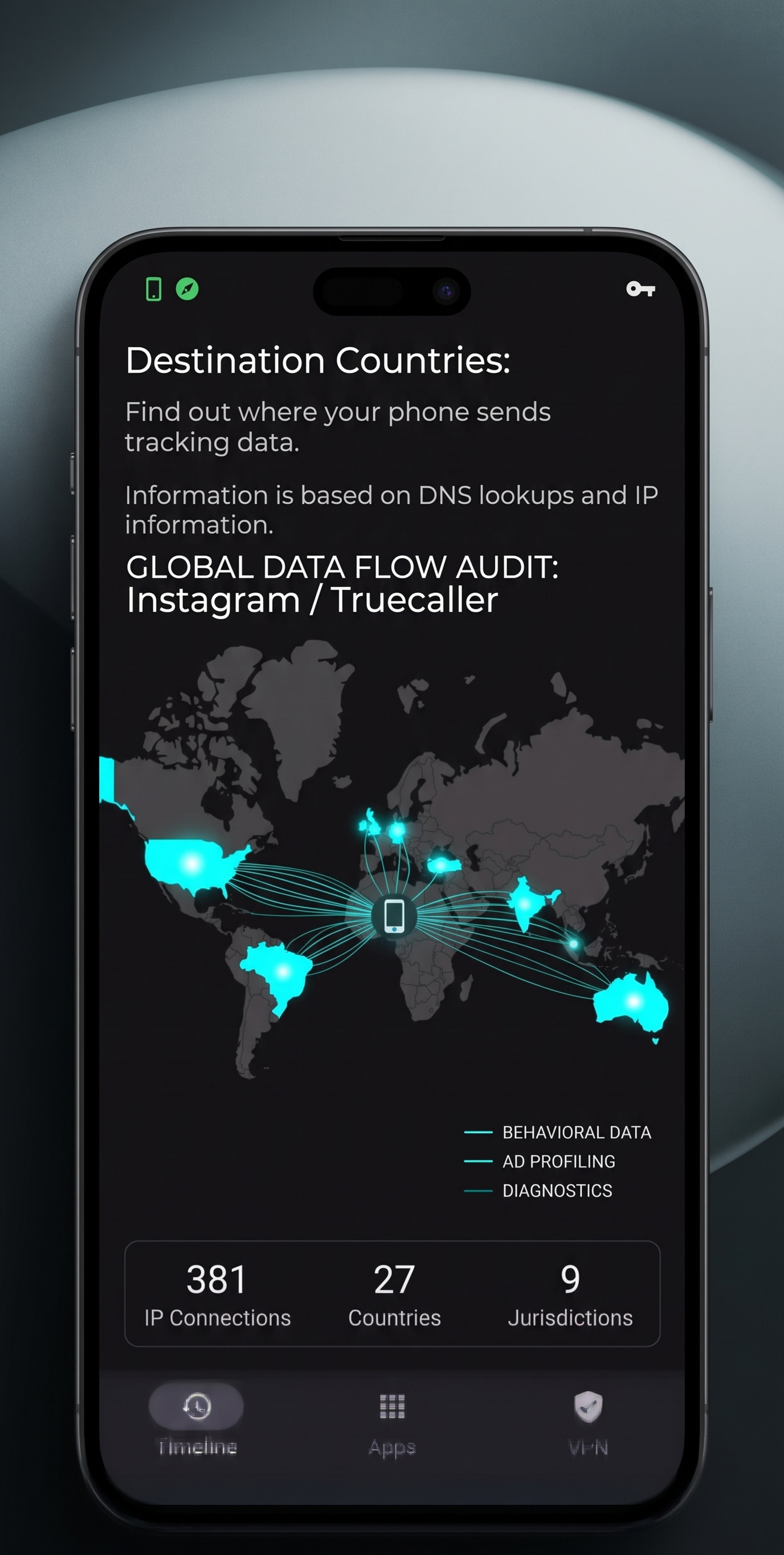
If looking at code libraries feels abstract, TrackerControl’s Destination Countries map makes it impossible to ignore.
By running real-time GeoIP lookups on active network sockets, the app visually pins every outgoing data packet to a world map. Tapping into apps like Instagram or Truecaller showed network connections radiating out across the globe within seconds:
North America: Cloud clusters and ad servers spanning the United States.
Europe: Routing centers across Germany and Turkey.
Asia-Pacific & South America: Nodes firing across India, Brazil, and Australia.
Seeing those regions light up in bright red makes the modern ad-tech pipeline unmistakable. Your device isn't just talking to the service you opened—it is acting as an active data beacon broadcasting across continents.
Step-by-Step: How to Disable Internet Access for Any Android App
If you want to silence spammy ads in offline tools or completely cut off an app that has no business talking to the web, you can use TrackerControl as an on-device firewall without rooting your phone:
Install the App: Download and install TrackerControl from F-Droid.
Turn on Protection: Flip the master switch in the top left corner (e.g., set to Forever Free). Grant the system prompt permission to create a local VPN profile (indicated by the small key icon in your status bar).
Open App Management: Tap the Apps icon on the bottom navigation bar.
Select Your Target App: Find the application you want to silence from the installed list.
Cut the Connection:
To block trackers only: Leave tracker blocking turned on; the app will silence telemetry and third-party ad networks while keeping primary content running.
To completely disable internet access: Under the app's settings, switch off both Wi-Fi and Mobile Data access.
Once toggled, TrackerControl drops every packet that app attempts to send before it ever leaves your hardware.
The Reality Check
We carry these devices everywhere, assuming that what happens on our screens stays between us and the developer of the app we opened. But pulling back the curtain reveals an entire economy of third-party middlemen living rent-free inside our storage.
If modern Android won't give you the basic controls to cut off abusive connections out of the box, taking a few minutes to install an open-source firewall isn't just a clever lifehack—it's how you put the walls back up on your personal life.


